Loading...
Loading...
If your computer and system meet all the Genesys Cloud requirements and you have issues with the Genesys Cloud WebRTC phone, then test your settings and check the following information.
In the Audio Controls section, review the audio device profile selection in the list.
To run diagnostic tests, click Run Diagnostics. 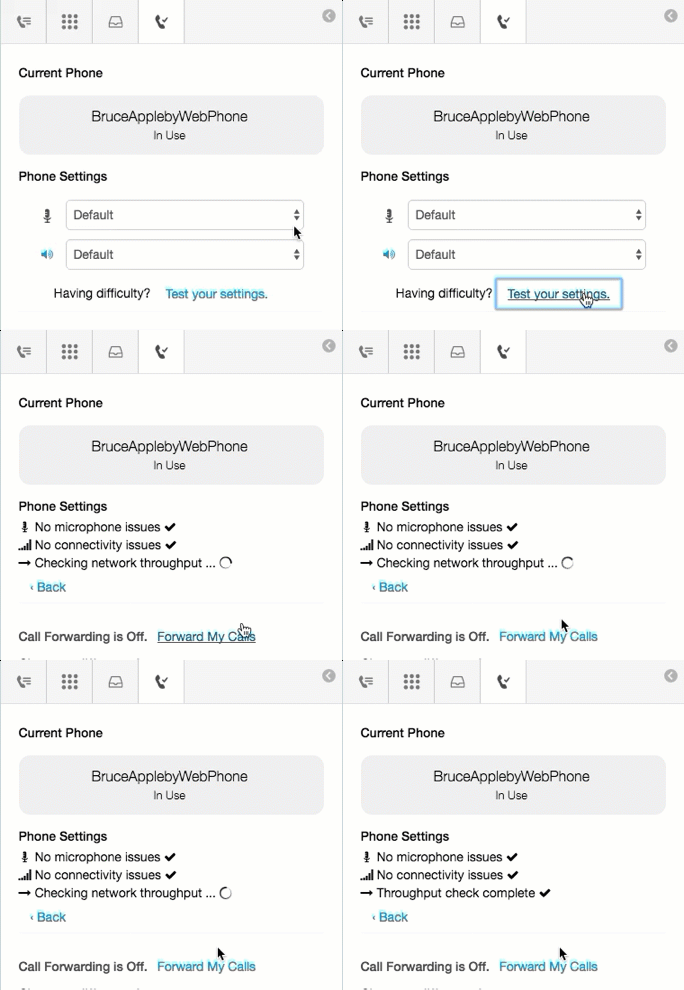 The Phone Settings section populates the progress and results of the diagnostics tests.
| For issues with… | Try this… |
|---|---|
| Microphone |
|
| Speaker |
|
| Connectivity |
|
| Placing or receiving calls |
|
If these solutions do not work, then contact your IT department.
Get user feedback about articles.